Skip to content

Cart

Your cart is empty

Article: What Does NFC Ready Mean? How DeepTireh Smart NFC Support Works

Person holding a smartphone near an NFC tag attached to a black rollator walker with seat and storage bag.

What Does NFC Ready Mean? How DeepTireh Smart NFC Support Works

“NFC Ready” means that a product identified with the DeepTireh NFC Ready label includes a short-range digital access point for product-specific support. Hold a compatible smartphone close to the tag, open the notification that appears, and the phone can connect to the support destination published for that model.

On DeepTireh NFC Ready products, those destinations are designed around three practical needs: a real model-specific installation or setup video, access to the available DeepTireh customer-support channel, and product or subscription registration options associated with the model.

Smart NFC is not a medical sensor, fall detector, GPS tracker, emergency-response device, or automatic product-fitting system. It does not assess the user and it does not replace the current product manual, setup instructions, or professional guidance. Its purpose is simpler: reduce the distance between the product and the correct support resource.

The quick answer

What DeepTireh Smart NFC can provide

  • A real installation or setup video published for the exact model, when available.
  • Direct access to the current DeepTireh support route for product questions.
  • Product registration and, where offered, subscription registration options.
  • A faster path back to model-specific resources without searching the entire website.

What it does not provide

  • Medical advice, diagnosis, treatment, or an individual safety assessment.
  • Automatic selection, fitting, adjustment, or inspection of a product.
  • Continuous monitoring, fall detection, location tracking, or emergency assistance.
  • A substitute for the current manual, warnings, weight limits, or professional training.
  • A guarantee that every DeepTireh product has an NFC tag or identical resources.

Only products specifically identified as NFC Ready should be expected to include this feature.

1. What is NFC?

NFC stands for Near Field Communication. It is a short-range wireless technology that lets a compatible device read information from a nearby tag. The interaction normally begins when the phone is brought within a few centimeters of the tag.

In this use case, the tag works as a direct route to a web resource. It does not need to display a long URL or ask the customer to search for the exact product page. The customer deliberately brings the phone close to the label, opens the notification, and continues to the DeepTireh resource.

Because the reading area and behavior vary by phone, a successful scan may require moving the top or back of the phone slowly around the tag. Android phones may also require NFC to be enabled in Settings.

2. How DeepTireh uses Smart NFC

DeepTireh Smart NFC is organized around three support paths. The exact destination depends on the product and the resources currently published for that model.

Installation videos

For an NFC Ready model with an available installation or setup video, the tag can open the real video prepared for that product. This is more useful than sending every customer to a general video library because parts, latches, adjustment points, and setup sequences can differ by model.

The video is an additional support resource. Before first use, compare the product, parts, labels, and model number with the current manual and follow every warning and setup requirement supplied with the exact product.

Visit Installation Videos & Setup Support

Customer support access

The tag can also connect the customer to the available DeepTireh support channel. When requesting help, keep the model number, order number, Smart NFC ID or serial information, and a clear description of the question ready when available.

Support can help locate the correct published resource and address product, order, setup, registration, return, or exchange questions. Questions that require medical judgment or an individualized safety assessment should be directed to a qualified healthcare professional.

Visit the DeepTireh Support Center

Product and subscription registration

Smart NFC can open the registration options associated with the product. Product registration may ask for details such as the purchaser’s name, email address, product model, order number, purchase date, and serial or batch number when available.

Product registration and a marketing or update subscription are not the same action. Read each form carefully and submit only the information requested. Marketing communications should be selected only when the customer chooses to receive them.

Register a DeepTireh product

3. How to scan a DeepTireh Smart NFC tag

Step 1: Confirm the product is NFC Ready

Look for the DeepTireh NFC Ready identification and locate the physical NFC tag. Do not assume that every product or accessory includes one.

Step 2: Prepare the phone

Use a compatible NFC-enabled smartphone. Turn on the display and unlock the phone if prompted. On Android, search the phone’s Settings for “NFC” and enable it when the device provides that control.

Step 3: Hold the phone close to the tag

Bring the phone’s NFC reading area close to the tag and hold it there briefly. The antenna position varies by phone; moving the phone slowly around the label may help.

Step 4: Open the notification

Tap the notification or link that appears. The phone will need an internet connection to load the current DeepTireh web resource.

Step 5: Confirm the model

Before following a video or setup resource, verify that the displayed model matches the product label and current manual. If the model does not match, stop and contact DeepTireh Support.

For device-specific guidance, use the DeepTireh NFC Guide & Assistance page.

4. What to do if the tag does not open

An unsuccessful first scan does not necessarily mean that the tag is damaged. Try these checks:

  1. Keep the phone display on and unlock it if prompted.
  2. Confirm that the phone supports NFC.
  3. On Android, confirm that NFC is enabled when the setting is available.
  4. Hold the phone closer and move it slowly around the tag to find the reading area.
  5. Remove a thick, magnetic, metal, or wallet-style case temporarily.
  6. Move other payment cards or NFC-enabled items away from the phone while scanning.
  7. Confirm that the phone has an internet connection.
  8. Try the scan again without pressing or scraping the tag.

If the tag still does not respond, use the Installation Videos & Setup Support page or Support Center directly. Include the product model and a photo of the NFC label when contacting support if that information is relevant to the request.

5. Do I need a separate app?

In most cases, no separate DeepTireh app is required for the basic action of opening the Smart NFC web link. Compatibility and reading behavior still depend on the phone model, operating system, browser settings, NFC configuration, case, and antenna position.

Some older phones may use a different scanning method or a compatible NFC reader. If the phone cannot read the tag, the same core support destinations remain available through the DeepTireh website.

6. What happens to privacy when the tag is scanned?

NFC is a close-range interaction. Scanning the tag does not turn the product into a GPS tracker, fall monitor, or emergency beacon. DeepTireh Smart NFC is intended to open product resources and support—not to continuously monitor a person or product.

Opening the link may generate the same types of standard device and website-use information that can be produced when visiting other pages on deeptireh.com, such as browser, device, IP-address, page-activity, and tag or product-resource information. If a customer chooses to submit a registration or support form, DeepTireh may also process the information entered into that form.

Do not submit medical records, diagnoses, account passwords, government identification numbers, or unrelated personal information through product registration or support forms. Review the DeepTireh Privacy Policy for current details.

7. When Smart NFC is most useful

During initial setup

Use the tag to reach the available installation video, then confirm every step against the exact product, label, parts, and current manual.

When a manual or link is hard to find

The tag can provide a direct route back to the model-specific resource without requiring the customer to remember a page address.

When contacting support

Open the support route and prepare the model, order, and product-identification details that can help the support team understand the request.

When registering the product

Use the registration option to connect the submitted ownership and purchase details with the applicable model and support record.

When a family member or caregiver needs the same resource

A compatible phone can reopen the published destination at the product, provided the user follows the same scanning steps and has internet access.

8. Why model-specific support matters

Products that look similar can use different parts, adjustment ranges, locking points, assembly sequences, warnings, or maintenance instructions. A general video may demonstrate a category, but it should not be treated as the installation instructions for every model.

DeepTireh’s NFC approach is designed to keep the support route tied to the identified model. That is why the customer should always confirm the model number before following a video and should contact support if the resource and product do not match.

Technology is useful here only when it makes the correct information easier to reach. It should not create a new layer of uncertainty or make claims beyond the published documentation.

Frequently asked questions

Does every DeepTireh product include Smart NFC?

No. Smart NFC is included only when the product is specifically identified as NFC Ready. A product or accessory without that label should not be assumed to include an NFC tag.

Does Smart NFC install an app on my phone?

No separate DeepTireh app is normally required to open the web link. The phone may display a notification asking whether to open the destination in a browser.

Does Smart NFC track the product or the user?

It is not intended for GPS location tracking, continuous monitoring, fall detection, or emergency response. Opening a web resource can generate standard website-use information as described in the DeepTireh Privacy Policy.

Can Smart NFC tell me whether a product is safe or properly fitted for me?

No. It does not evaluate the user, environment, fit, assembly, or medical needs. Follow the current instructions for the exact model and seek qualified professional guidance when an individualized assessment is needed.

Does the installation video replace the manual?

No. The video is an additional model-specific support resource. The current manual, product label, warnings, limits, and instructions remain essential.

What if the NFC destination shows the wrong model?

Do not follow the resource. Confirm the model number on the product label and contact DeepTireh Support with the model and NFC-tag details.

Can I still get support if my phone cannot scan NFC?

Yes. Visit the DeepTireh Support Center, Installation Videos & Setup Support page, or Product Registration page directly through a browser.

Support should be closer to the product

DeepTireh Smart NFC does not try to make the product “smart” through monitoring or medical claims. It gives customers a shorter, model-specific route to the real installation video, available customer support, and registration options connected with an NFC Ready model.

If your product is identified as NFC Ready, start with the DeepTireh NFC Guide & Assistance page. If you have a product-specific question, visit the Support Center before setup or use.


Reference resources

Medical and safety note

This article provides general product-support information. It is not medical advice, diagnosis, treatment, emergency assistance, professional supervision, or an individualized safety assessment. Smart NFC does not replace the current manual, product warnings, caregiver supervision, emergency services, or qualified professional guidance. Stop using a product and contact the appropriate support resource if any part is damaged, unstable, incorrectly assembled, or not operating as described.

“NFC Ready” means that a product identified with the DeepTireh NFC Ready label includes a short-range digital access point for product-specific support. Hold a compatible smartphone close to the tag, open the notification that appears, and the phone can connect to the support destination published for that model.

On DeepTireh NFC Ready products, those destinations are designed around three practical needs: a real model-specific installation or setup video, access to the available DeepTireh customer-support channel, and product or subscription registration options associated with the model.

Smart NFC is not a medical sensor, fall detector, GPS tracker, emergency-response device, or automatic product-fitting system. It does not assess the user and it does not replace the current product manual, setup instructions, or professional guidance. Its purpose is simpler: reduce the distance between the product and the correct support resource.

The quick answer

What DeepTireh Smart NFC can provide

  • A real installation or setup video published for the exact model, when available.
  • Direct access to the current DeepTireh support route for product questions.
  • Product registration and, where offered, subscription registration options.
  • A faster path back to model-specific resources without searching the entire website.

What it does not provide

  • Medical advice, diagnosis, treatment, or an individual safety assessment.
  • Automatic selection, fitting, adjustment, or inspection of a product.
  • Continuous monitoring, fall detection, location tracking, or emergency assistance.
  • A substitute for the current manual, warnings, weight limits, or professional training.
  • A guarantee that every DeepTireh product has an NFC tag or identical resources.

Only products specifically identified as NFC Ready should be expected to include this feature.

1. What is NFC?

NFC stands for Near Field Communication. It is a short-range wireless technology that lets a compatible device read information from a nearby tag. The interaction normally begins when the phone is brought within a few centimeters of the tag.

In this use case, the tag works as a direct route to a web resource. It does not need to display a long URL or ask the customer to search for the exact product page. The customer deliberately brings the phone close to the label, opens the notification, and continues to the DeepTireh resource.

Because the reading area and behavior vary by phone, a successful scan may require moving the top or back of the phone slowly around the tag. Android phones may also require NFC to be enabled in Settings.

2. How DeepTireh uses Smart NFC

DeepTireh Smart NFC is organized around three support paths. The exact destination depends on the product and the resources currently published for that model.

Installation videos

For an NFC Ready model with an available installation or setup video, the tag can open the real video prepared for that product. This is more useful than sending every customer to a general video library because parts, latches, adjustment points, and setup sequences can differ by model.

The video is an additional support resource. Before first use, compare the product, parts, labels, and model number with the current manual and follow every warning and setup requirement supplied with the exact product.

Visit Installation Videos & Setup Support

Customer support access

The tag can also connect the customer to the available DeepTireh support channel. When requesting help, keep the model number, order number, Smart NFC ID or serial information, and a clear description of the question ready when available.

Support can help locate the correct published resource and address product, order, setup, registration, return, or exchange questions. Questions that require medical judgment or an individualized safety assessment should be directed to a qualified healthcare professional.

Visit the DeepTireh Support Center

Product and subscription registration

Smart NFC can open the registration options associated with the product. Product registration may ask for details such as the purchaser’s name, email address, product model, order number, purchase date, and serial or batch number when available.

Product registration and a marketing or update subscription are not the same action. Read each form carefully and submit only the information requested. Marketing communications should be selected only when the customer chooses to receive them.

Register a DeepTireh product

3. How to scan a DeepTireh Smart NFC tag

Step 1: Confirm the product is NFC Ready

Look for the DeepTireh NFC Ready identification and locate the physical NFC tag. Do not assume that every product or accessory includes one.

Step 2: Prepare the phone

Use a compatible NFC-enabled smartphone. Turn on the display and unlock the phone if prompted. On Android, search the phone’s Settings for “NFC” and enable it when the device provides that control.

Step 3: Hold the phone close to the tag

Bring the phone’s NFC reading area close to the tag and hold it there briefly. The antenna position varies by phone; moving the phone slowly around the label may help.

Step 4: Open the notification

Tap the notification or link that appears. The phone will need an internet connection to load the current DeepTireh web resource.

Step 5: Confirm the model

Before following a video or setup resource, verify that the displayed model matches the product label and current manual. If the model does not match, stop and contact DeepTireh Support.

For device-specific guidance, use the DeepTireh NFC Guide & Assistance page.

4. What to do if the tag does not open

An unsuccessful first scan does not necessarily mean that the tag is damaged. Try these checks:

  1. Keep the phone display on and unlock it if prompted.
  2. Confirm that the phone supports NFC.
  3. On Android, confirm that NFC is enabled when the setting is available.
  4. Hold the phone closer and move it slowly around the tag to find the reading area.
  5. Remove a thick, magnetic, metal, or wallet-style case temporarily.
  6. Move other payment cards or NFC-enabled items away from the phone while scanning.
  7. Confirm that the phone has an internet connection.
  8. Try the scan again without pressing or scraping the tag.

If the tag still does not respond, use the Installation Videos & Setup Support page or Support Center directly. Include the product model and a photo of the NFC label when contacting support if that information is relevant to the request.

5. Do I need a separate app?

In most cases, no separate DeepTireh app is required for the basic action of opening the Smart NFC web link. Compatibility and reading behavior still depend on the phone model, operating system, browser settings, NFC configuration, case, and antenna position.

Some older phones may use a different scanning method or a compatible NFC reader. If the phone cannot read the tag, the same core support destinations remain available through the DeepTireh website.

6. What happens to privacy when the tag is scanned?

NFC is a close-range interaction. Scanning the tag does not turn the product into a GPS tracker, fall monitor, or emergency beacon. DeepTireh Smart NFC is intended to open product resources and support—not to continuously monitor a person or product.

Opening the link may generate the same types of standard device and website-use information that can be produced when visiting other pages on deeptireh.com, such as browser, device, IP-address, page-activity, and tag or product-resource information. If a customer chooses to submit a registration or support form, DeepTireh may also process the information entered into that form.

Do not submit medical records, diagnoses, account passwords, government identification numbers, or unrelated personal information through product registration or support forms. Review the DeepTireh Privacy Policy for current details.

7. When Smart NFC is most useful

During initial setup

Use the tag to reach the available installation video, then confirm every step against the exact product, label, parts, and current manual.

When a manual or link is hard to find

The tag can provide a direct route back to the model-specific resource without requiring the customer to remember a page address.

When contacting support

Open the support route and prepare the model, order, and product-identification details that can help the support team understand the request.

When registering the product

Use the registration option to connect the submitted ownership and purchase details with the applicable model and support record.

When a family member or caregiver needs the same resource

A compatible phone can reopen the published destination at the product, provided the user follows the same scanning steps and has internet access.

8. Why model-specific support matters

Products that look similar can use different parts, adjustment ranges, locking points, assembly sequences, warnings, or maintenance instructions. A general video may demonstrate a category, but it should not be treated as the installation instructions for every model.

DeepTireh’s NFC approach is designed to keep the support route tied to the identified model. That is why the customer should always confirm the model number before following a video and should contact support if the resource and product do not match.

Technology is useful here only when it makes the correct information easier to reach. It should not create a new layer of uncertainty or make claims beyond the published documentation.

Frequently asked questions

Does every DeepTireh product include Smart NFC?

No. Smart NFC is included only when the product is specifically identified as NFC Ready. A product or accessory without that label should not be assumed to include an NFC tag.

Does Smart NFC install an app on my phone?

No separate DeepTireh app is normally required to open the web link. The phone may display a notification asking whether to open the destination in a browser.

Does Smart NFC track the product or the user?

It is not intended for GPS location tracking, continuous monitoring, fall detection, or emergency response. Opening a web resource can generate standard website-use information as described in the DeepTireh Privacy Policy.

Can Smart NFC tell me whether a product is safe or properly fitted for me?

No. It does not evaluate the user, environment, fit, assembly, or medical needs. Follow the current instructions for the exact model and seek qualified professional guidance when an individualized assessment is needed.

Does the installation video replace the manual?

No. The video is an additional model-specific support resource. The current manual, product label, warnings, limits, and instructions remain essential.

What if the NFC destination shows the wrong model?

Do not follow the resource. Confirm the model number on the product label and contact DeepTireh Support with the model and NFC-tag details.

Can I still get support if my phone cannot scan NFC?

Yes. Visit the DeepTireh Support Center, Installation Videos & Setup Support page, or Product Registration page directly through a browser.

Support should be closer to the product

DeepTireh Smart NFC does not try to make the product “smart” through monitoring or medical claims. It gives customers a shorter, model-specific route to the real installation video, available customer support, and registration options connected with an NFC Ready model.

If your product is identified as NFC Ready, start with the DeepTireh NFC Guide & Assistance page. If you have a product-specific question, visit the Support Center before setup or use.


Reference resources

Medical and safety note

This article provides general product-support information. It is not medical advice, diagnosis, treatment, emergency assistance, professional supervision, or an individualized safety assessment. Smart NFC does not replace the current manual, product warnings, caregiver supervision, emergency services, or qualified professional guidance. Stop using a product and contact the appropriate support resource if any part is damaged, unstable, incorrectly assembled, or not operating as described.

Leave a comment

This site is protected by hCaptcha and the hCaptcha Privacy Policy and Terms of Service apply.

Read more

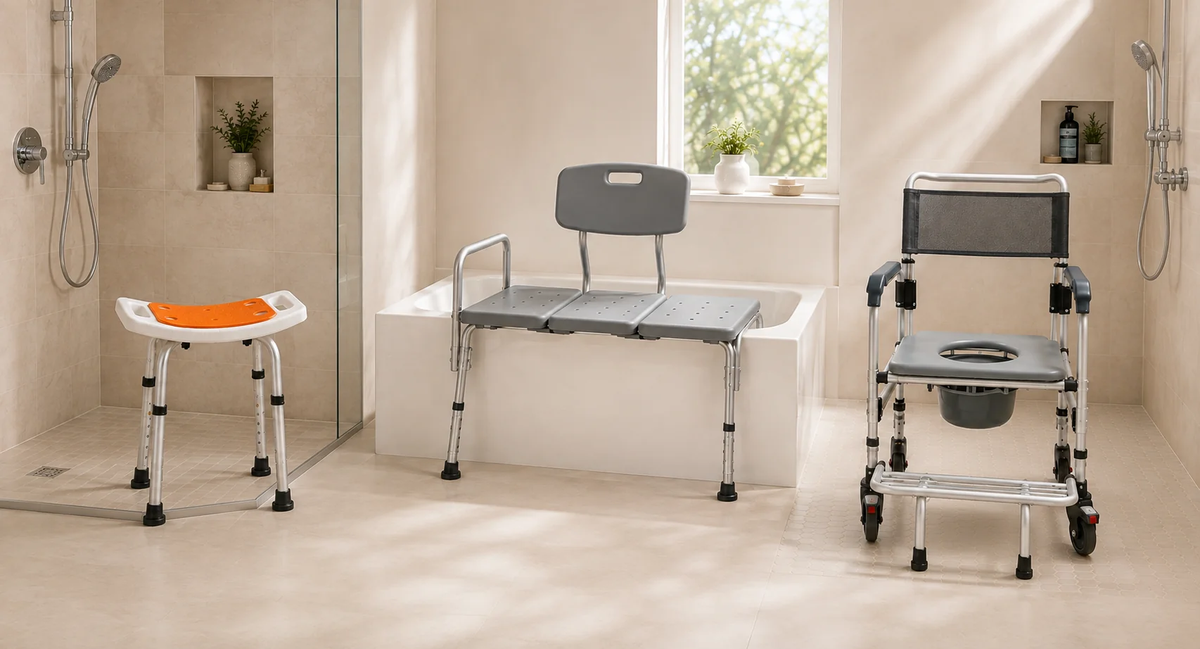
Shower stool, bathtub transfer bench, and mobile shower commode chair displayed side by side in a bright accessible bathroom.
Bathroom Safety

Shower Stool vs. Transfer Bench vs. Shower Commode Chair: What’s the Difference?

Not every bathroom support product solves the same problem. Compare three common options by placement, transfer method, measurements, and required assistance.

Read more
Woman measuring the clear width of an interior doorway with a rollator walker positioned nearby.
Buying Guide

Will a Walker or Rollator Fit Through Your Home? 7 Measurements to Take Before Buying

Product width is only one part of home fit. Use this practical seven-point checklist to compare a walker or rollator with the real doors, routes, turns, thresholds, storage spaces, and vehicle carg...

Read more