
HY8516L Rollator Setup Guide

MODEL HY8516L
BEFORE YOU BEGIN
Use this illustrated guide to set up and use your DeepTireh HY8516L rollator safely. Confirm the model number before starting, and keep the full instruction manual nearby for reference. If any part is missing or damaged, do not use the rollator and contact DeepTireh Support.

STEP 1 · ASSEMBLY
UNFOLD AND LOCK
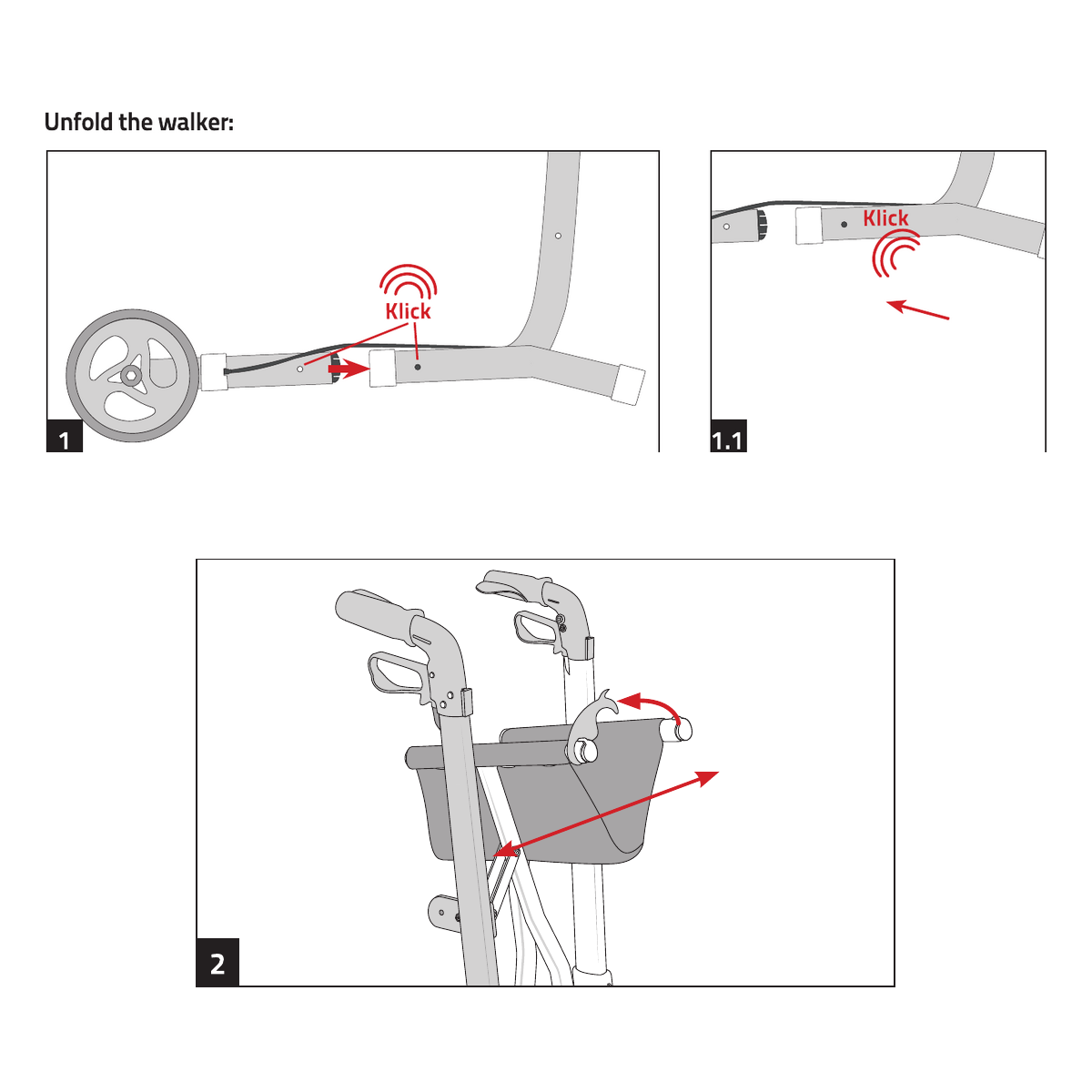
Match the front wheel struts to the R and L markings. Rotate the front and rear wheel struts into position until each locking pin clicks into the frame. Open the rollator fully, then press down until both holders beneath the seat snap securely onto the frame supports. Keep your fingers clear of all folding joints.
STEP 2 · ACCESSORIES
INSTALL THE ACCESSORIES
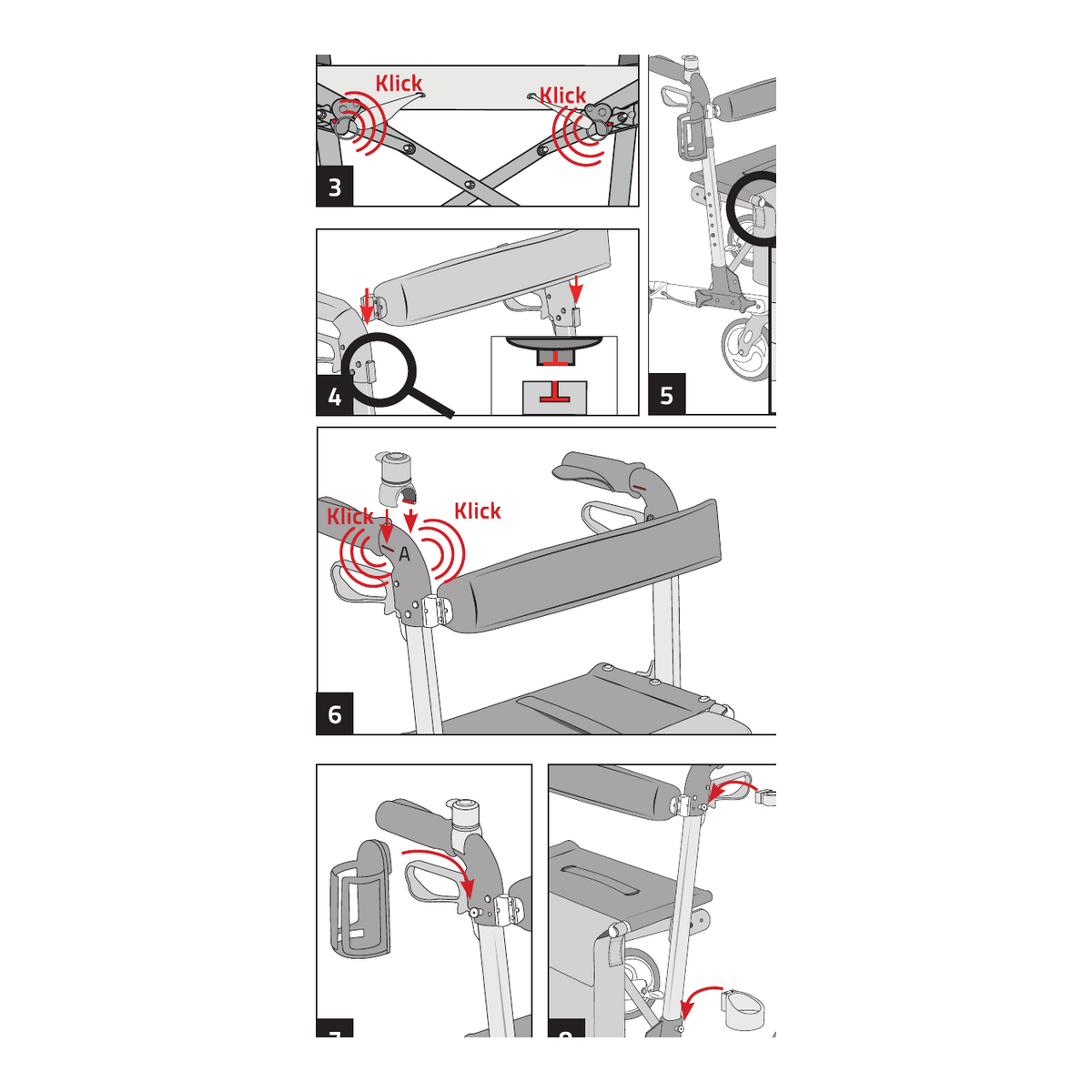
Slide the back strap fully onto both handle mounts. Attach the storage bag to both sides of the seat frame and secure its loops. Install the bell, cup holder, and walking-stick holder as shown. Confirm that every accessory is firmly seated before use.

STEP 3 · SAFETY CHECK
ADJUST AND TEST
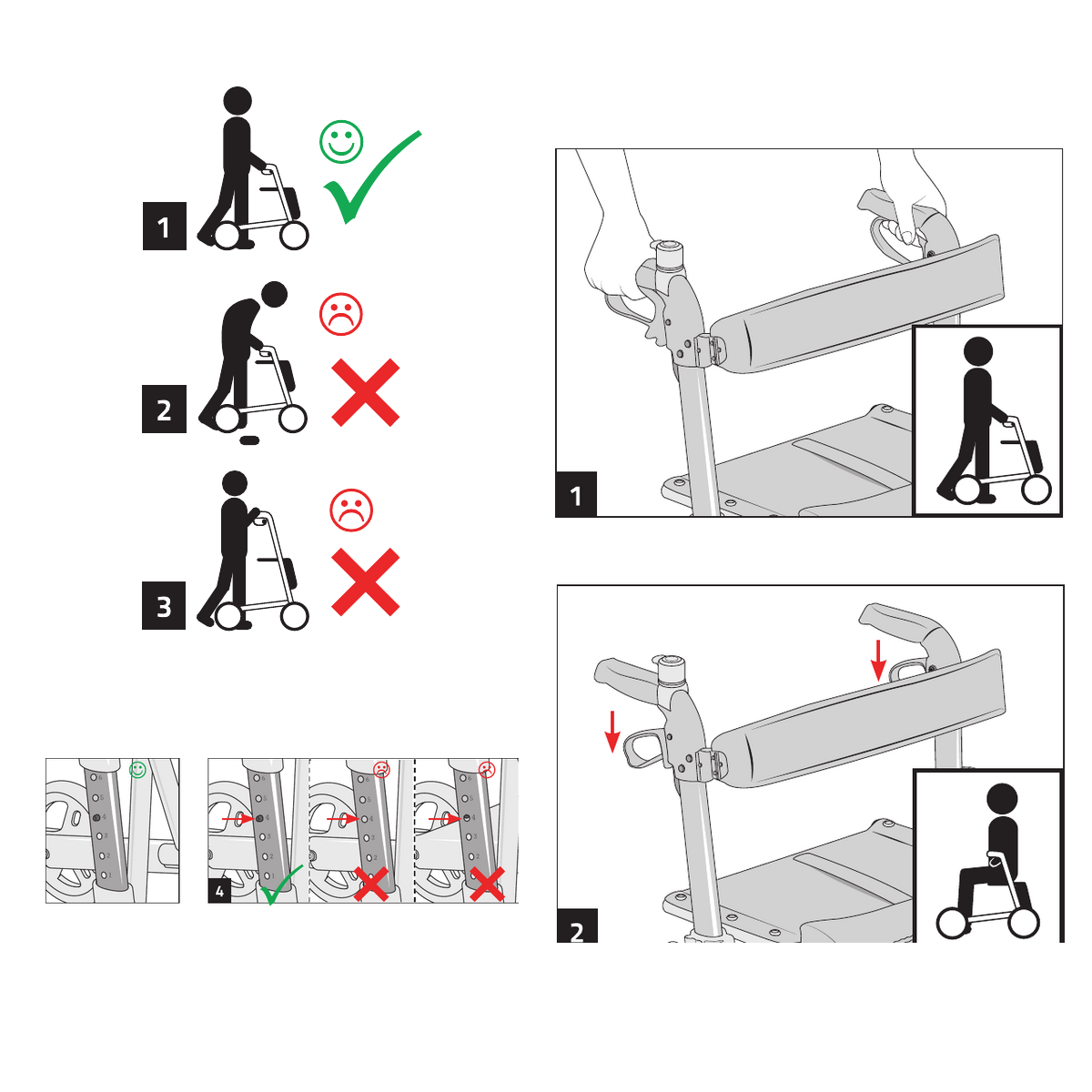
Set both handles to the same numbered height and make sure both locking knobs are fully engaged. Stand upright with your arms relaxed. Test both hand brakes together, then press both brake levers down to engage the parking brakes before using the seat.
IMPORTANT SAFETY INFORMATION
BEFORE EVERY USE
Check that the frame, wheel struts, seat supports, handles, and accessories are fully locked in place. Test both brakes before walking. Always engage both parking brakes before sitting, and only use the seat on a firm, level, non-slip surface. Stop using the rollator if any part is loose, damaged, or not working correctly.